archive-cd paperless archiving solutions logo
 

| Home | SHOP | About Us | Affiliates | FAQ's | Privacy | Service | Terms | Contact Us |

archive-cd scanners
» Fujitsu
» Kodak
» Canon
» Surplus
»
Rent
» Lease

archive-cd software

» Adobe  
» CompuThink
» Encite - EMR
» FileMaker Pro
» GPC Data

» FileNexus
» FREEScanimator
» FREE Software

special offers authorize net
Shop Securely

mastercard visa
» FREE Shipping Details


Scanimator -
Page and Time Estimator

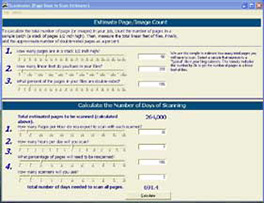
Not sure about the number of pages you want to convert to digital images?  Download the Scanimator and follow the directions below.  The Scanimator will assist you in quickly and accurately estimating the number of pages to be converted to digital images.  Need a quote?  Fill out the form or give us a call. 

Our Paperless Archiving Solutions offers suggestions on items to be considered when choosing a scanning service bureau.

Download and Install the "Scanimator"
to estimate the number of pages in your files.

archive-cd scanimator

  1. Download and Install the "Scanimator" (4.67 MB)

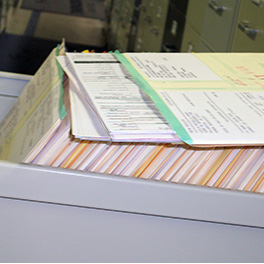
  2. Count the number of pages in a one-half inch stack of paper.

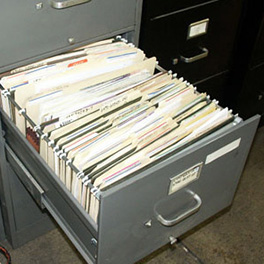
  3. Measure the length of all the files you want to convert. 

  4. Multiply the number of pages (per 1/2 inch) by the length of all the files.

Visit GPC Data http://www.gpcdata.com for Data Base Solutions.

| Special Offers | Rebates | Surplus | Leasing | Extended Warranty |


ARCHIVE-CD, LLC
Paperless Archiving Solutions
• 910 Beverly Way • Jacksonville, Oregon 97530   Toll Free: 800-323-1868    Email: info@archive-cd.com
ARCHIVE-CD, LLC © 1999-2009

| Home | Shop | About Us | Affiliates | Ask the Experts | Careers | Customer Service |
| Electronic Medical Record | Free Info | Frequently Asked Questions | PRIVACY | Request Info | Paperless Archiving Solutions |